
Sibelius
From first idea to final score.
Music notation and composition, from first idea to final score.
Notation that keeps upwith your ideas.
Write, arrange and engrave publication-ready scores, with intelligent layout that does the tidying so you can stay in the music.
Overview
Editions
Choose your edition
One Sibelius engine, two tiers. Buy once or subscribe, your choice.
Buy once and own this version of Sibelius outright. Includes a year of updates and support; renew each year to keep moving to new releases.
Artist
Everyday scoring
For students, teachers and hobbyists writing, arranging and sharing scores.
- Up to 24 staves
- Core notation, 4 voices
- 300 Ideas Hub library
- Cloud Sharing (20 scores)
- Audio, MusicXML & MIDI export
Ultimate
Most completeThe full notation studio
For professional composers, arrangers and engravers who need every notation, layout and engraving tool.
- Unlimited staves
- Full notation & engraving set
- Automatic arranging & orchestration
- Customizable engraving rules
- Worksheet Creator & classroom tools
- PDF & graphics export
Compare
Every edition, feature by feature
See exactly what each Sibelius edition includes.
 ArtistEveryday scoring
 UltimateThe full notation studio
- Specifications from Avid's official Sibelius comparison (Artist and Ultimate columns); Sibelius First and the mobile app are not shown.
- Specifications may change. Confirm current terms at avid.com before purchase.
Features
Everything in Sibelius
Composition
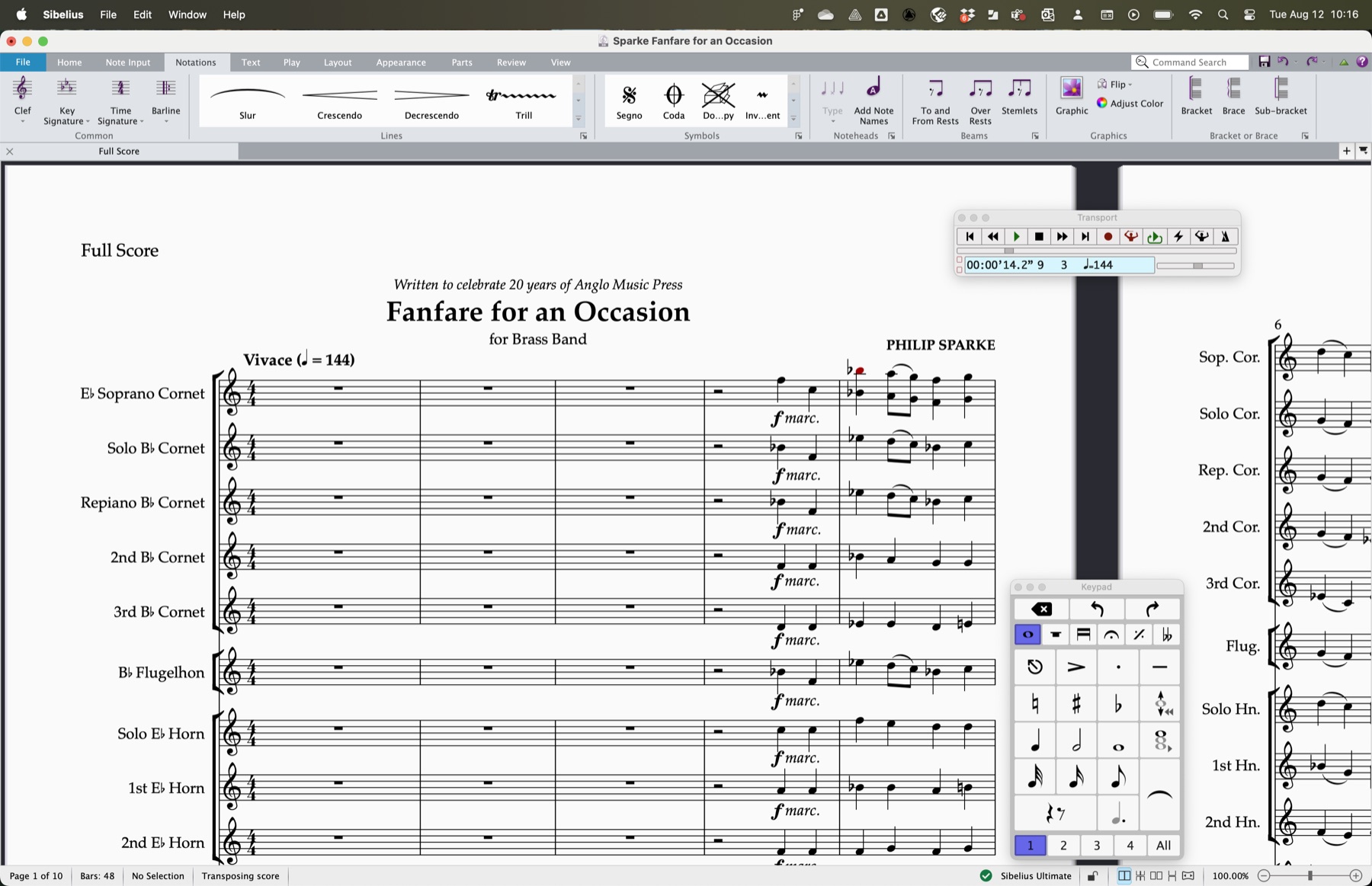
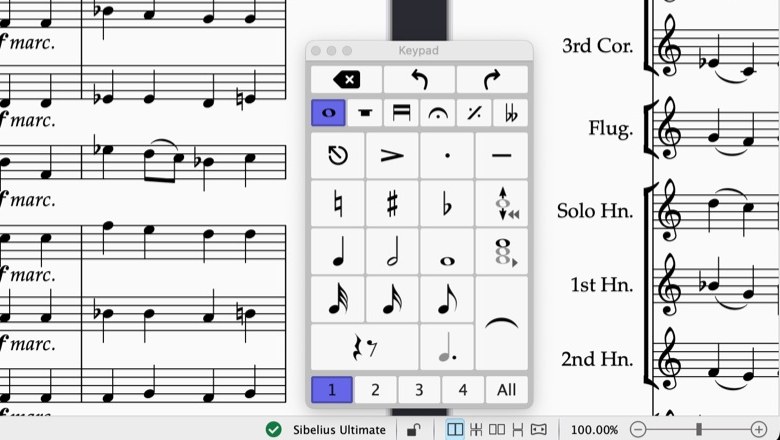
Fast, flexible note input
Enter notes by MIDI, computer keyboard or mouse, with the Keypad, chord symbols and guitar tab, then edit freely without losing your flow.
Compatibility
Runs where you create
Sibelius runs on current macOS and Windows, plays back through its own Sibelius Sounds library or your own VST and AU instruments, and shares scores to any device. Requirements are for Sibelius 2026 and may change; check Avid for the latest.
Operating systems
- macOS Sonoma 14, Sequoia 15 or Tahoe 26
- Windows 11 (64-bit)
- Apple Silicon or Intel 64-bit
Playback & sounds
- Sibelius Sounds library (36 GB full, 900 MB core)
- Plays your own VST & AU instruments
- ASIO or Core Audio interface
System & storage
- 4 GB RAM recommended for the sound library
- 36 GB free space for Sibelius Sounds (SSD preferred)
- Internet connection for download & activation
Licensing
- Subscription or perpetual licence
- Activated online with a free Avid account
- Includes updates & support while active